OpenFlaps: DIY Split-Flap Display (Raspberry Pi Pico W, open source)
Source: Thingiverse by marchandivan
The OpenFlaps: DIY Split-Flap Display (Raspberry Pi Pico W, open source) is a free printable 3D model from Thingiverse by marchandivan. A split-flap display you can build yourself, like the old train station boards. You can download the STL file from the original listing below and print it at home.

About this model
A split-flap display you can build yourself, like the old train station boards. Every character is a 3D-printed module with its own stepper motor and small controller board, and a Raspberry Pi Pico W runs the whole display over WiFi. Build as many characters as you like, in blocks of four; the one in the photos has 16. ▶ Video: 🔗 Firmware, PCB files, guides and source: What it does - Show any text from a web page on your phone or computer - Design your own layouts with live fields: time, date, outdoor weather, and an optional indoor temperature/humidity sensor - Schedule reminders (once, daily, weekly, monthly, yearly) that take over the display, then go back to what it was showing - Ask Claude a question and get the answer on the flaps (needs your own API key) - Firmware updates over WiFi…
Frequently asked questions
- Is this 3D model free to download?
- Yes. OpenFlaps: DIY Split-Flap Display (Raspberry Pi Pico W, open source) is free to download from Thingiverse. Open it in the free Thinger app, or use the "Download from Thingiverse" link above to open the original listing.
- Where is the STL hosted?
- The download is hosted by Thingiverse, not by Thinger. We link you directly to the original listing by marchandivan.
- Who made this model?
- Designed by marchandivan, published on Thingiverse. Please credit the creator when sharing your print online.
- Can I print this at home?
- Yes. This model is intended for home FDM and resin 3D printers. Check the original listing for suggested print settings like layer height and supports.
Similar 3D models in 28BYJ-48


Browse related collections
Filament price drops for your next print
We track hundreds of filaments, resins, nozzles and tools on Amazon several times a day. Don't buy before you compare: see today's best prices and the real discount, measured against 30 days of price history.
 Tsinghoo Matte PLA Filament 1.75mm 2kg 2-Pack Black | Smooth Frosted …
$18.99
 3DHoJor Silk PLA Filament 1.75mm Red Green Blue Triple Color PLA 3D P…
$11.39
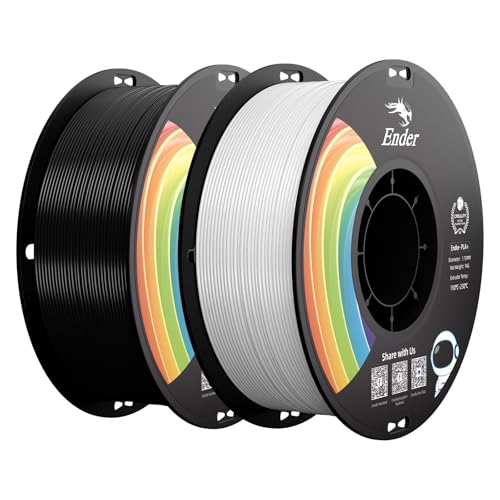 Creality PLA+ 3D Printer Filament, Black & White, 2-Pack, 2KG Total |…
$17.77
Thinger earns a commission from qualifying purchases made through these links, at no extra cost to you. The price on Amazon at checkout is the one that counts. Israeli buyers: free shipping over $49 deals in Hebrew (קונים מישראל: הדילים עם משלוח חינם מעל $49, בעברית).