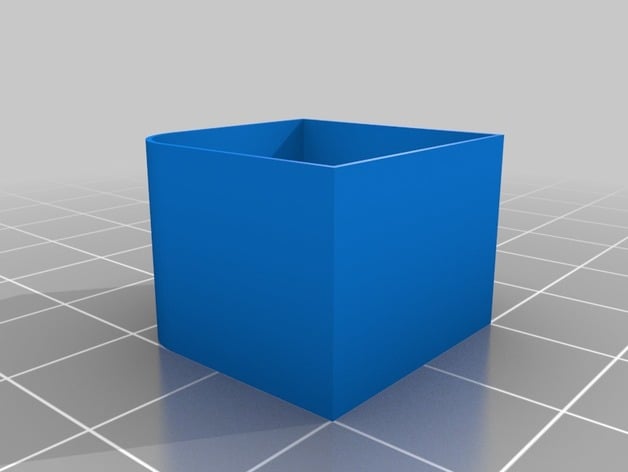
Extrusion multiplier calibration
Source: Thingiverse by 3D_MaxMaker
The Extrusion multiplier calibration is a free printable 3D model from Thingiverse by 3D_MaxMaker. This thing is design to help determine the extrusion multiplier for your slicing software. You can download the STL file from the original listing below and print it at home.

About this model
This thing is design to help determine the extrusion multiplier for your slicing software. In general works with Slicer. INSTRUCTIONS: 1) Print this object with your current settings and recommended temperature for your filament. leave current multiplier as 1.0. 2) With a caliper or a micrometer, measure the wall thickness. 3) from slicer determine the perimeters extrusion width based in your nozzle, for a 0.4 mm nozzle is 0.42 mm 4) Divide the above value for the one you measured ie: 0.42/0.45 = 0.93. .93 is the new multiplier you need to use for the extrusion flow in your slicer software to get the right rate. You can try a couple of prints changing the temperature by 10 degrees like one at 200 and the next to 210 degrees centigrade, this can give you an idea if the problem is the flow r…
Frequently asked questions
- Is this 3D model free to download?
- Yes. Extrusion multiplier calibration is free to download from Thingiverse. Open it in the free Thinger app, or use the "Download from Thingiverse" link above to open the original listing.
- Where is the STL hosted?
- The download is hosted by Thingiverse, not by Thinger. We link you directly to the original listing by 3D_MaxMaker.
- Who made this model?
- Designed by 3D_MaxMaker, published on Thingiverse. Please credit the creator when sharing your print online.
- Can I print this at home?
- Yes. This model is intended for home FDM and resin 3D printers. Check the original listing for suggested print settings like layer height and supports.
Similar 3D models in Extrusion