Cura Infill Display
Source: Thingiverse by ccarbs
The Cura Infill Display is a free printable 3D model from Thingiverse by ccarbs. Update 1/17/21: Uploaded G-code file for those having a hard time getting the support blockers to work. You can download the STL file from the original listing below and print it at home.

About this model
Update 1/17/21: Uploaded G-code file for those having a hard time getting the support blockers to work. Located it on the left side of the bed rather than the middle so it should fit on an Ender 3 as is. Shows all of the infills available with Cura 4.6. I couldn't find a single one for Cura that I liked that would allow me to print as one piece. To get the different infills: Center the stl on the bed. Then add support blockers that are 20x20x21 (the 21 makes them easier to select once they are over each section). The support blocker locations should be -60, -30, 0, 30, and 60 in X and -56.85, -16.85, and 23.15 in Y. Then you can select the support blocker, change mesh type to cutting mesh, set Top Layers to 0, and then select your support type and set density to 20% so that it matches the …
Frequently asked questions
- Is this 3D model free to download?
- Yes. Cura Infill Display is free to download from Thingiverse. Open it in the free Thinger app, or use the "Download from Thingiverse" link above to open the original listing.
- Where is the STL hosted?
- The download is hosted by Thingiverse, not by Thinger. We link you directly to the original listing by ccarbs.
- Who made this model?
- Designed by ccarbs, published on Thingiverse. Please credit the creator when sharing your print online.
- Can I print this at home?
- Yes. This model is intended for home FDM and resin 3D printers. Check the original listing for suggested print settings like layer height and supports.
Similar 3D models in cura


![Dragon Pencil Cup [Cura 5.4 Tree Support] 3D model](https://resize.thingiverse.com/?url=https://cdn.thingiverse.com/assets/04/95/a1/51/a4/90338456-01b0-4837-bacc-4e2791d33899.png&w=292&h=219&fit=contain&cbg=white&n=-1)


Filament on sale for your next print
Price drops on Amazon, checked several times a day with 30-day price history.
 YOOPAI Matte PLA+ Filament 1.75mm, 250g Starter Color Bundle, 4 Rolls
$17.99
YOOPAI Matte PLA+ Filament 1.75mm, 250g Starter Color Bundle, 4 Rolls
$17.99
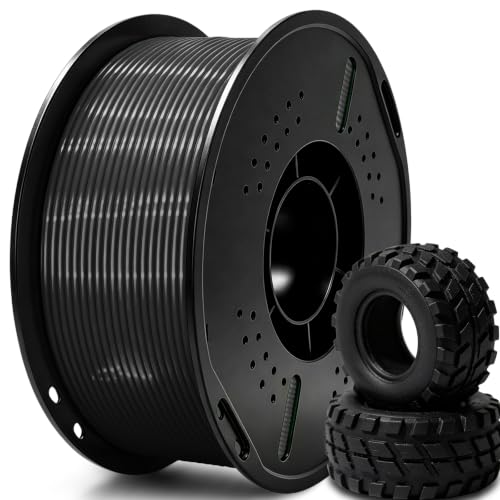 UGUESS TPU 95A 3D Printer Filament, Black, 1KG, TPU 95A Filament 1.75…
$15.99
UGUESS TPU 95A 3D Printer Filament, Black, 1KG, TPU 95A Filament 1.75…
$15.99
 Creality Silk PLA 3D Printer Filament 1.75mm, 1kg, Gold | High Glossy…
$18.99
Creality Silk PLA 3D Printer Filament 1.75mm, 1kg, Gold | High Glossy…
$18.99
Thinger earns a commission from qualifying purchases made through these links, at no extra cost to you. The price on Amazon at checkout is the one that counts. Israeli buyers: free shipping over $49 deals in Hebrew.