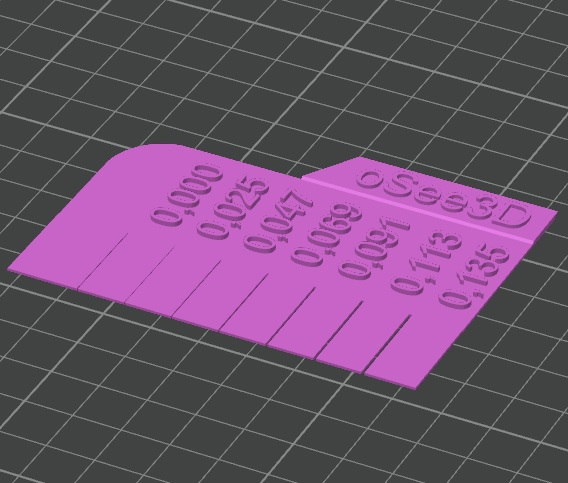
Flow ratio measuring tool
Source: MakerWorld by oSee3D
The Flow ratio measuring tool is a free printable 3D model from MakerWorld by oSee3D. Sprache/Language: Deutsch + English A newer version is available: neuere Version ist verfügbar: English I have always used the automatic flow rate detection for a filament on my. You can download the STL file from the original listing below and print it at home.

About this model
Sprache/Language: Deutsch + English A newer version is available: neuere Version ist verfügbar: English I have always used the automatic flow rate detection for a filament on my X1 Carbon. However, when the printed parts wouldn't fit together, I questioned the automatic detection. I then manually changed the flow ratio until the parts matched. With experience, this is easy to do, but it also costs time and some material until a satisfactory result is achieved. In Bambu Studio, the flow can also be calibrated manually, but I often could not decide for or against a certain correction value, resulting in a wide range of possible flow rates. However, I only need a value that allows for accurately fitting parts, but the pressure should also be stable. So I designed this tool to read a fitting v…
Frequently asked questions
- Is this 3D model free to download?
- Yes. Flow ratio measuring tool is free to download from MakerWorld. Open it in the free Thinger app, or use the "Download from MakerWorld" link above to open the original listing.
- Where is the STL hosted?
- The download is hosted by MakerWorld, not by Thinger. We link you directly to the original listing by oSee3D.
- Who made this model?
- Designed by oSee3D, published on MakerWorld. Please credit the creator when sharing your print online.
- Can I print this at home?
- Yes. This model is intended for home FDM and resin 3D printers. Check the original listing for suggested print settings like layer height and supports.
Similar 3D models in measuring


Browse related collections
Filament on sale for your next print
Price drops on Amazon, checked several times a day with 30-day price history.
 YOOPAI Matte PLA+ Filament 1.75mm, 250g Starter Color Bundle, 4 Rolls
$17.99
YOOPAI Matte PLA+ Filament 1.75mm, 250g Starter Color Bundle, 4 Rolls
$17.99
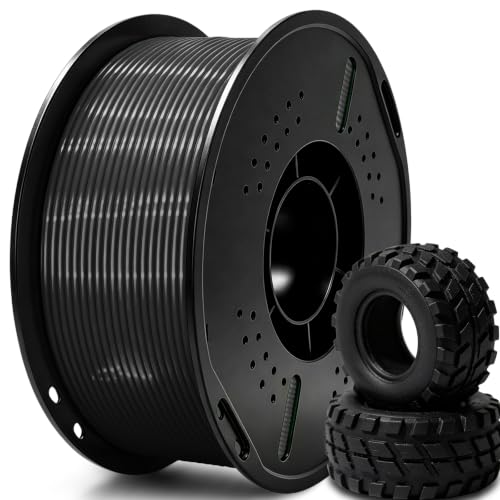 UGUESS TPU 95A 3D Printer Filament, Black, 1KG, TPU 95A Filament 1.75…
$15.99
UGUESS TPU 95A 3D Printer Filament, Black, 1KG, TPU 95A Filament 1.75…
$15.99
 Creality Silk PLA 3D Printer Filament 1.75mm, 1kg, Gold | High Glossy…
$18.99
Creality Silk PLA 3D Printer Filament 1.75mm, 1kg, Gold | High Glossy…
$18.99
Thinger earns a commission from qualifying purchases made through these links, at no extra cost to you. The price on Amazon at checkout is the one that counts. Israeli buyers: free shipping over $49 deals in Hebrew.