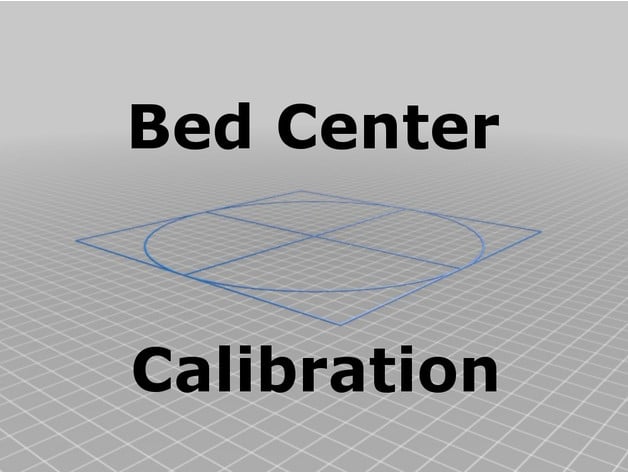
Bed Center Calibration Tutorial (using parametric crosshairs with square)
Source: Thingiverse by 0scar
The Bed Center Calibration Tutorial (using parametric crosshairs with square) is a free printable 3D model from Thingiverse by 0scar. NEW! Parametric design added! The tutorial is updated with a new parametric OpenSCAD model which can be used (e.g. You can download the STL file from the original listing below and print it at home.
About this model
NEW! Parametric design added! The tutorial is updated with a new parametric OpenSCAD model which can be used (e.g. using the Customizer app) to fit your own heat bed/build plate. The parameters of the model are self explanatory; please note that the tolerance is merely used for ecstatic purposes (rendering glitches), so please do not change that one. The old STL files have been removed and some examples introduced as the old ones did not slice perfectly in Cura (they did go well in Slic3r though...). Please make your own center calibration STL by tuning it exactly to your printer setup. What! Not in the center? I noticed that with large prints part of my skirt or brims sometimes was printed outside the heat bed print area. Apparently, the printer does not have the correct heat bed center i…
Frequently asked questions
- Is this 3D model free to download?
- Yes. Bed Center Calibration Tutorial (using parametric crosshairs with square) is free to download from Thingiverse. Open it in the free Thinger app, or use the "Download from Thingiverse" link above to open the original listing.
- Where is the STL hosted?
- The download is hosted by Thingiverse, not by Thinger. We link you directly to the original listing by 0scar.
- Who made this model?
- Designed by 0scar, published on Thingiverse. Please credit the creator when sharing your print online.
- Can I print this at home?
- Yes. This model is intended for home FDM and resin 3D printers. Check the original listing for suggested print settings like layer height and supports.
Similar 3D models in Bed
/https://fbi.cults3d.com/uploaders/24639435/illustration-file/2c8a32ec-b855-4bc6-a1f8-810d64959e73/Dos_fotos.png)