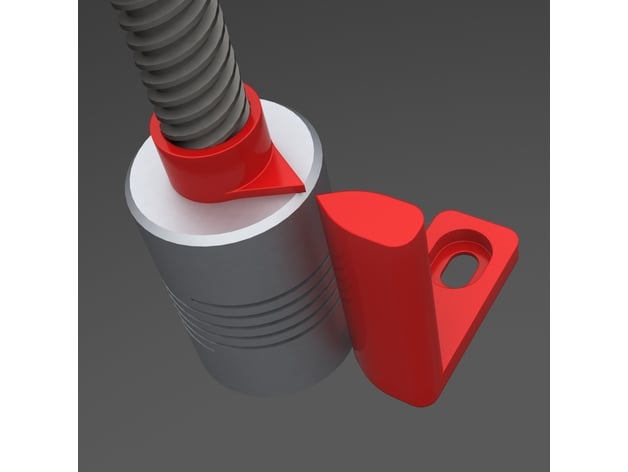
Anet A8 Z stepper alignment indicator
Source: Thingiverse by dugacki
The Anet A8 Z stepper alignment indicator is a free printable 3D model from Thingiverse by dugacki. #####Problem: On Anet A8 the left and right z steppers get misaligned (skip a step). You can download the STL file from the original listing below and print it at home.

About this model
#####Problem: On Anet A8 the left and right z steppers get misaligned (skip a step). This can happen because the screws aren't running smoothly or if the printer isn't assembled/aligned perfectly. I've had problems on almost every print with this when I first got this printer. Now that I got things running smoothly this only happens sometimes, usually on long prints, when moving the printer changing the filament etc. #####What the thing does: The indicator shows if the left and right steppers are aligned with each other or not. If they are not you can easily realign them. If your printer is tuned correctly you almost never need to realign the steppers, if it does you should fix the problem by cleaning, lubricating, aligning z lead screws and rods. #####How to use the thing with your Anet A…
Frequently asked questions
- Is this 3D model free to download?
- Yes. Anet A8 Z stepper alignment indicator is free to download from Thingiverse. Open it in the free Thinger app, or use the "Download from Thingiverse" link above to open the original listing.
- Where is the STL hosted?
- The download is hosted by Thingiverse, not by Thinger. We link you directly to the original listing by dugacki.
- Who made this model?
- Designed by dugacki, published on Thingiverse. Please credit the creator when sharing your print online.
- Can I print this at home?
- Yes. This model is intended for home FDM and resin 3D printers. Check the original listing for suggested print settings like layer height and supports.
Similar 3D models in Anet